🌍 Languages Configuration
File Information
📁 File Location: mods/fof1092_EssentialsPlus/languages/
🔙 Back to Configuration Overview
The languages/ directory contains translation files for different languages. Each language file uses the .lang format and can be manually edited to customize messages and translations.
Available Languages:
en-US.lang- English (United States)de-DE.lang- German (Germany)es-ES.lang- Spanish (Spain)fr-FR.lang- French (France)pt-BR.lang- Portuguese (Brazil)tr-TR.lang- Turkish (Turkey)override.lang- Global override file (highest priority)
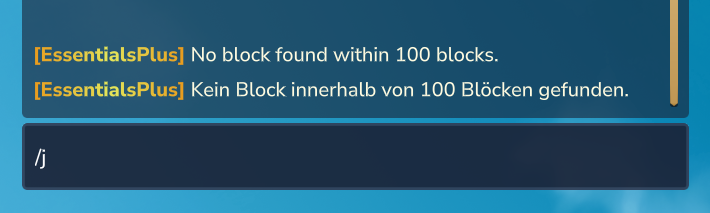
Adding Custom Languages: You can easily add support for additional languages by creating new .lang files. Use /whois <player> to see a player's client language, then create a matching language file (e.g., ja-JP.lang for Japanese).
Example Language File (languages/en-US.lang):
# EssentialsPlus Language File - English (US)
# This file contains all text messages for the plugin

# === GOD MODE ===
essentialsplus.god.enabled = God mode enabled.
essentialsplus.god.disabled = God mode disabled.

# === CLEAR CHAT ===
essentialsplus.clearchat.success = Chat has been cleared.

# === HEAL ===
essentialsplus.heal.success = You have been healed to full health.
essentialsplus.heal.error.no_stats = Could not access your health stats.
Message Resolution Order
When a message needs to be displayed, EssentialsPlus follows this priority order:
1. override.lang (if key exists) → ALWAYS USED
   ↓ (if not found)
2. Player's Language File (e.g., de-DE.lang, fr-FR.lang)
   ↓ (if not found or language not available)
3. Default Language (en-US.lang)
Example Scenario:
Player with German client (de-DE) requests translation for welcome.message:
- Check override.lang:
welcome.message = Welcome to our server!→ ✅ Returns this (highest priority) Check de-DE.lang(skipped because override exists)Check en-US.lang(skipped because override exists)
Player with French client (fr-FR) requests translation for teleport.success:
- Check override.lang: Key not found → Continue
- Check fr-FR.lang:
teleport.success = Téléportation réussie!→ ✅ Returns this Check en-US.lang(not needed, found in fr-FR)
override.lang - Global Override System
The override.lang file is a special language file that allows server administrators to override any translation key across all languages.
Key Features:
- Highest Priority: Translations in
override.langoverride all language-specific files - Language-Independent: Affects all players regardless of their client language
- Perfect for Branding: Customize server-specific messages, welcome texts, or command outputs
Example override.lang:
# Custom plugin tag
essentialsplus.general.plugin_tag = <bold><gradient:#ff0000:#00ff00>[MySuperServer]</gradient></bold>
TIP
Use override.lang for server-specific branding and messages that should be the same for all players, regardless of language!
Customization:
- Stop the server
- Edit the desired
.langfile in thelanguages/directory - Modify translations (keep the keys unchanged!)
- Restart the server
Adding New Languages:
To add support for a new language:
- Copy an existing
.langfile (e.g.,en-US.lang) - Rename it using the ISO language code (e.g.,
fr-FR.langfor French) - Translate all values (keep all keys unchanged!)
- Place the file in the
languages/directory - Restart the server
Translation Format:
key.name = Translated text- Lines starting with
#are comments - Keys are on the left side of
= - Translations are on the right side
- Empty lines are allowed for organization
- Supports color codes and placeholders (e.g.,
{player},{time})
TIP
The language system automatically loads all .lang files from this directory. Custom translations persist across plugin updates!
WARNING
Do not modify or remove the translation keys (left side of =). Only change the translations (right side).